Patient account
Your care, in one place.
A configured secure portal will provide account access, intake and signed-document copies. Use the portal supplied by the practice when it becomes available.
Portal setup pendingYour patient center
Prepare for a clinical conversation, read about consent, and understand how your information should be handled.
Online account registration, signing, appointment booking and document delivery are not available yet. The forms below are drafts for review. Keep names, signatures and medical information out of the meeting-code field.
Patient account
A configured secure portal will provide account access, intake and signed-document copies. Use the portal supplied by the practice when it becomes available.
Portal setup pendingYour scheduled video visit
Use only the private Google Meet invitation supplied by your treating clinician for an already arranged appointment. The office must confirm platform safeguards and your location eligibility before clinical use. Confirm your actual location with your clinician and join from a private place. Your clinician controls admission.
Use the code or link in your private appointment invitation. Enter only meeting details here.
This tool uses the code in your browser to open Google Meet. It does not save it or send it to Striving.
No invitation? Call the Longwood office at (407) 878-3208 to confirm the appointment. This option does not book a visit. For emergencies, call 911.
Before you decide
Your clinician should explain the specific treatment, expected benefits, important risks and alternatives. You can ask questions and decline treatment. A signature does not replace that discussion.
Identity, your actual location, clinician authorization and the suitability of remote care.
Health history, risks, alternatives, the exact medication or procedure, and costs.
Use the approved secure system after questions are answered. Paper alternatives should be explained.
The planned portal workflow will make the same signed record available to you and authorized practice staff, with private notifications.
Patient forms
Draft version October 2, 2026. Practice details, clinical review and applicable state requirements must be completed before these forms are used for care.
Your consent packet
All nine draft forms are collected in one document. Before care, the practice prepares your packet with the applicable sections, your specific treatment information and the required notices.
Review the combined draft PDF ↗Blank draft for review only. This download does not collect a signature.
Open HTML forms & try the sample PDF →You can try the HTML preview with a fictional patient. Real patient signing and automatic storage are awaiting the clinic’s secure connection and testing.
Direct payments
Choose Square checkout or Zelle to pay Striving LLC. Have your invoice ready and pay the amount provided by the practice. Confirm the written cancellation and refund terms before sending payment.
Read payment, cancellation and refund information →
Square checkout
Our “Balance Due” checkout lets you enter your invoice amount. Confirm the checkout shows Striving LLC before paying.
Pay with Square ↗Opens Square in a new tab. Square handles payment details and checkout.
Square or your bank completes the payment. This website does not process or confirm payment. Payment does not book an appointment or determine treatment eligibility.
How to scan a Zelle QR code ↗ strivingFOR BETTER HEALTH
Pay with Zelle®
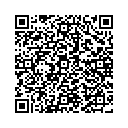
Scan in your banking app to pay.
Open Zelle payment options ↗Save the QR code ↓On your phone? Save the code and use your bank’s image-scan option if available, or open the payment options above.
Your choices matter
You may ask about evidence, risks, alternatives, fees and confidentiality. Consent does not waive legal rights and cannot authorize an unlawful treatment.
The practice must supply its completed Notice of Privacy Practices where required. Acknowledging receipt of that notice is separate from authorizing a specific release of information.
If you are uninsured or choose not to use insurance, ask about a written good faith estimate. Federal dispute rights may apply if a qualifying bill is at least $400 above the estimate from that provider.
CMS information about medical bill rights ↗For emergencies call 911. For routine questions, call (407) 878-3208. Confirm your individualized urgent contact and follow-up plan before care starts.